 OpenAi-HK
openai codex
- In 2026, OpenAI launched its coding software
Installation
- Prerequisite: install
Node.js ≥ 18(LTS version recommended)
shell
npm install -g @openai/codex
codex --version # Expected output similar to: codex-cli 0.121.0
npm install -g @openai/codex
codex --version # Expected output similar to: codex-cli 0.121.0Configure Environment with cc switch
Use cc switch to configure the environment for the
codexCLI toolDownload cc-switch
Add a new provider
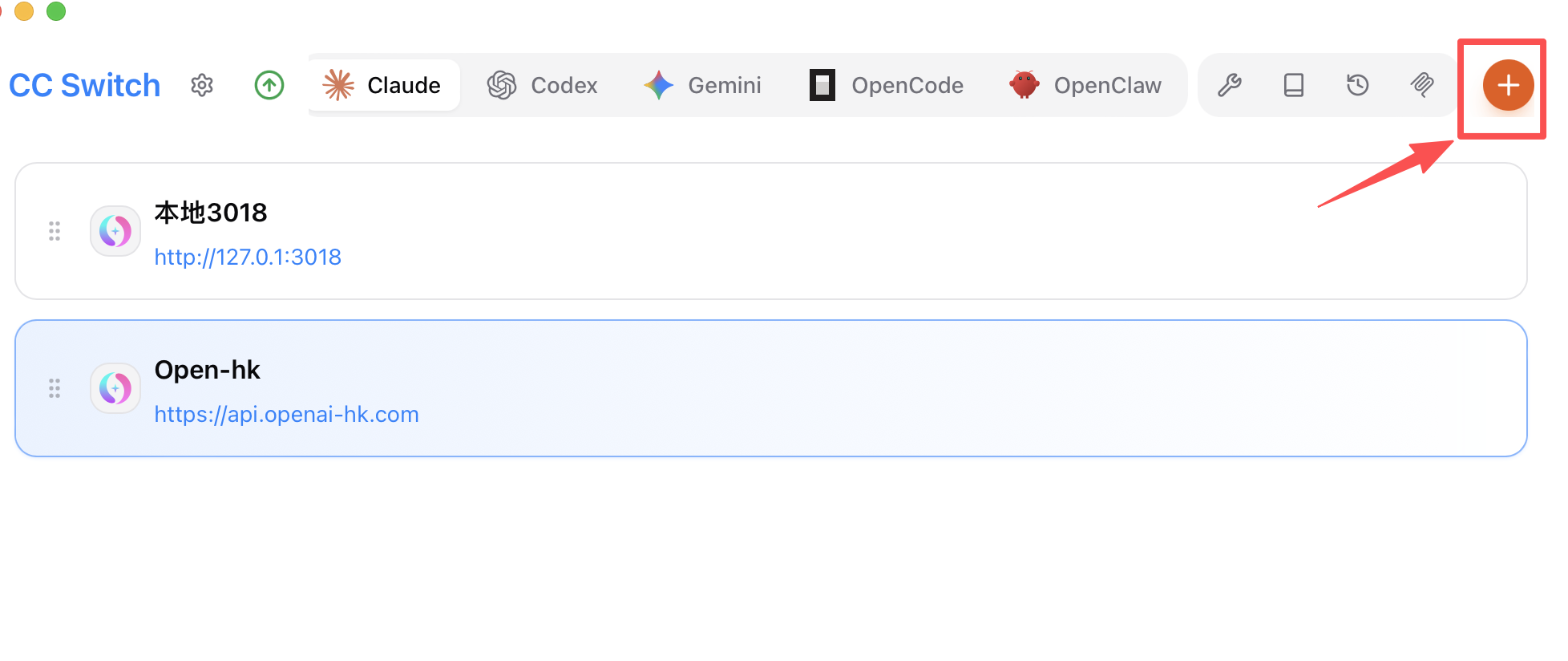
Add a unified provider
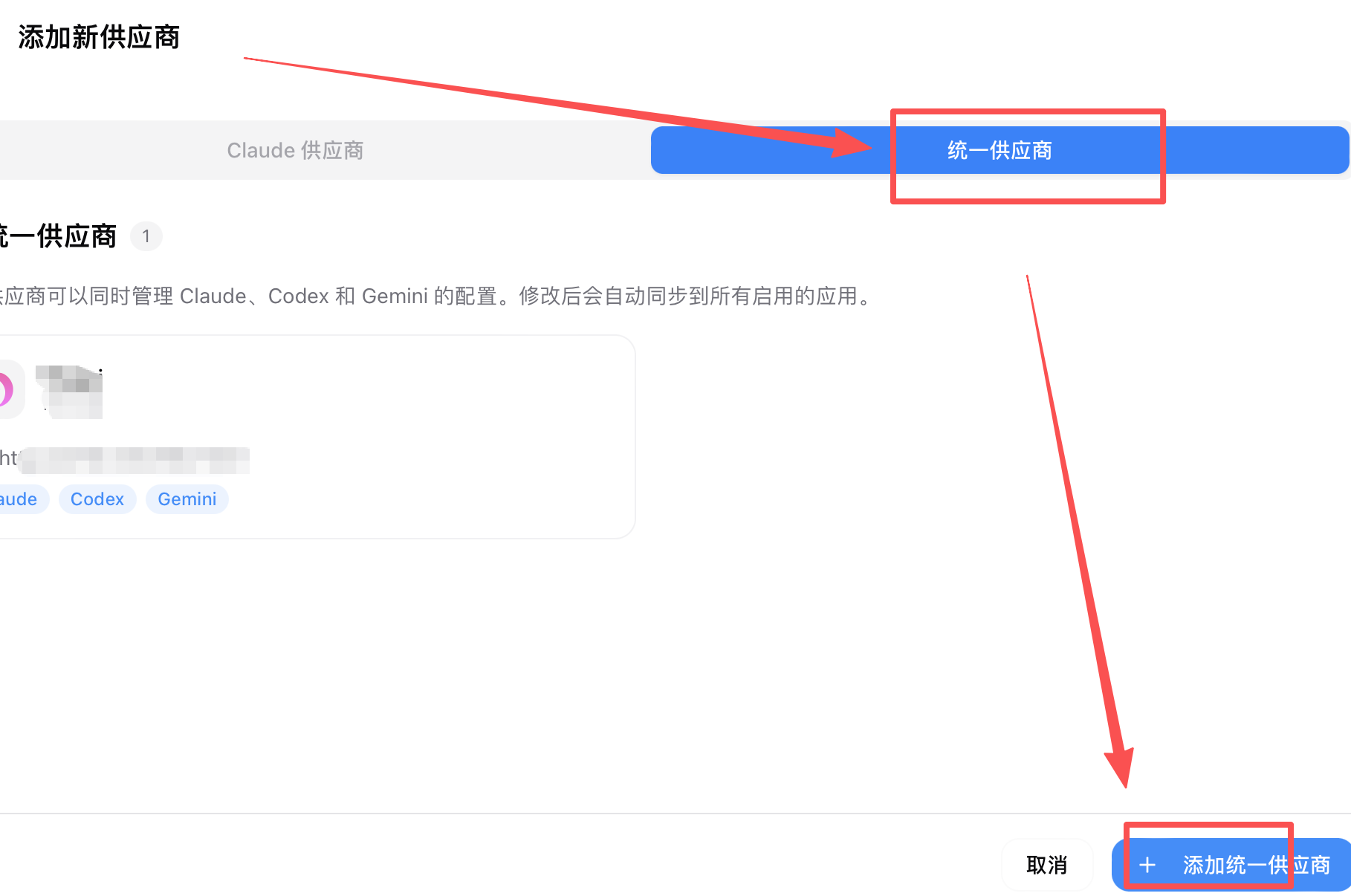
Fill in the unified provider details
Nameisopenai-hkAPI URLishttps://api.openai-hk.comapiKeyishk-your-apiKey— get this key at https://www.openai-hk.com/v3/ai/key- Sub-keys can be created under the
codexgroup; the exchange rate is0.5, which is0.072of the official price (0.5/7)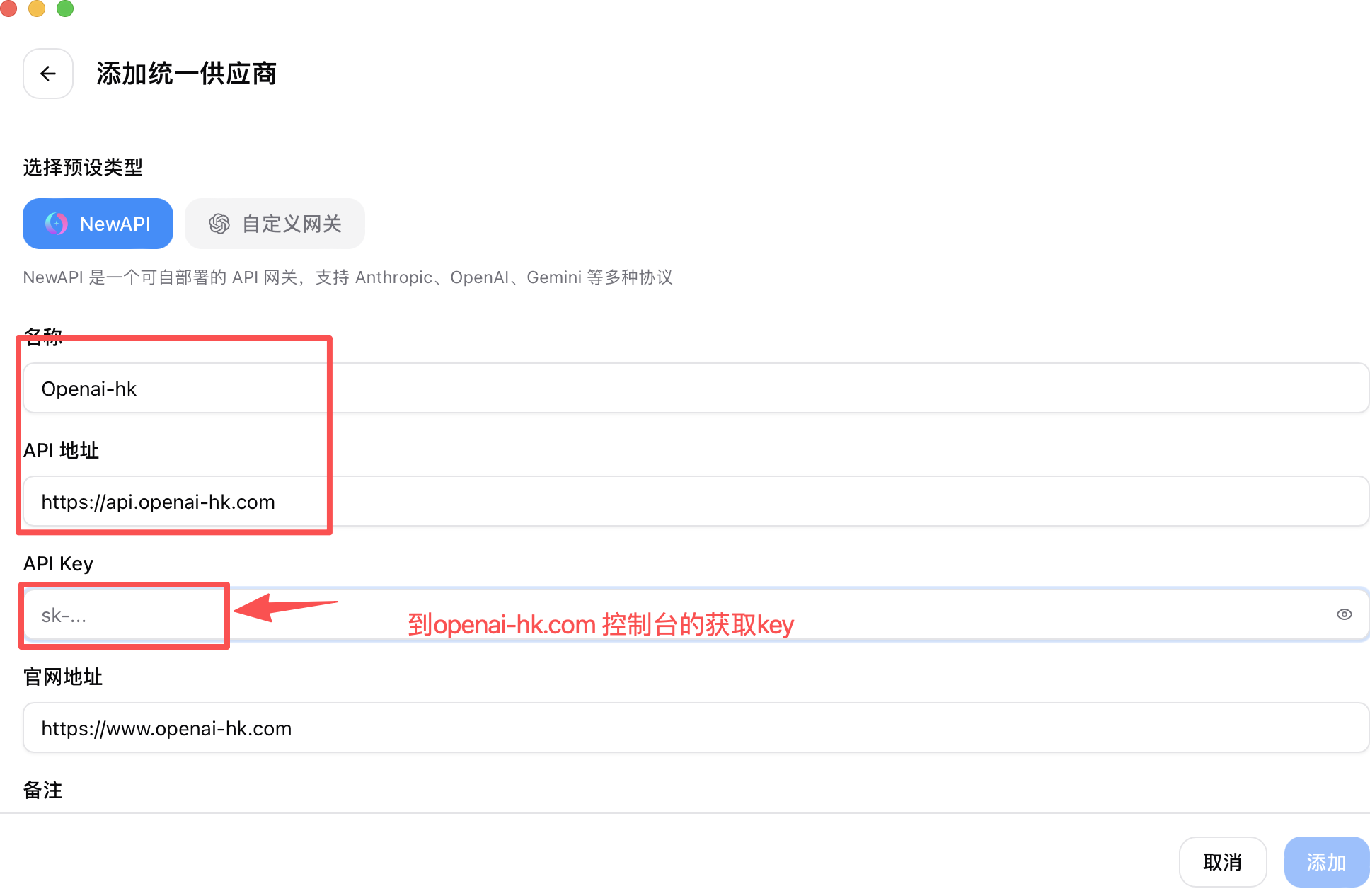
- Enable
claude codeopenai codexgemini CLI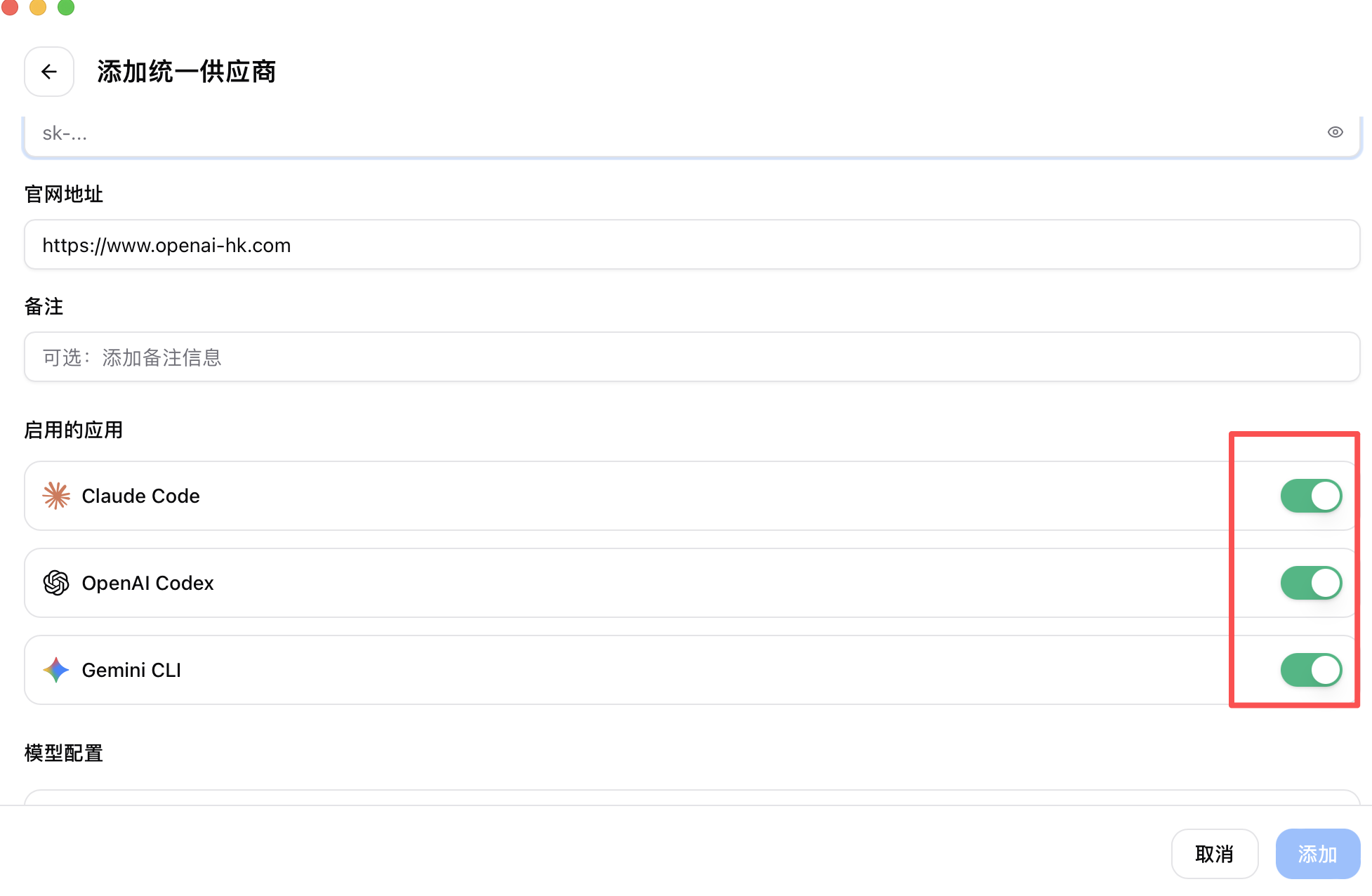
- Configure models as shown below
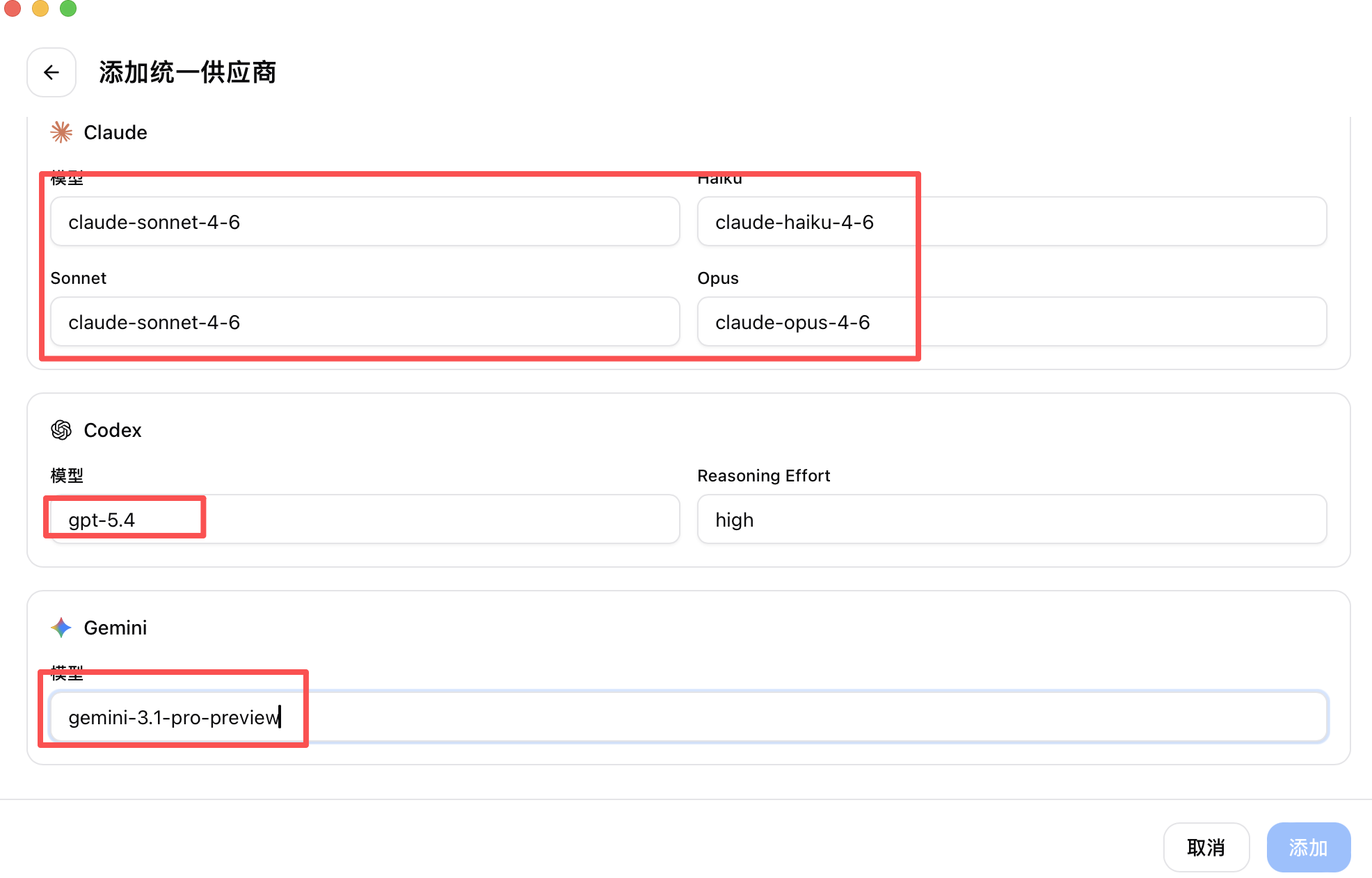
- Click Add
Sync
- Go back to Add New Provider and you will see
openai-hk - Find "Sync to App"
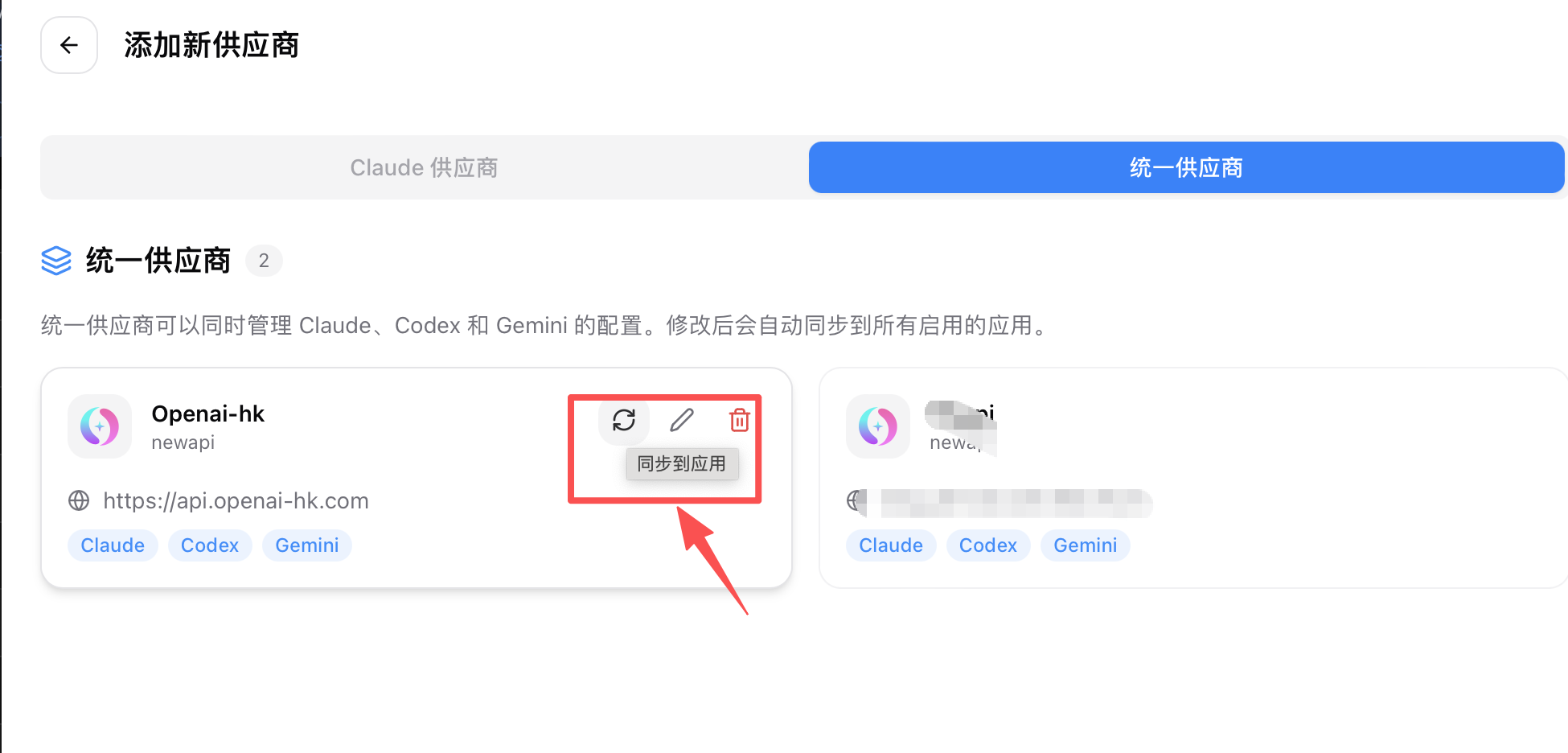
- Select Sync
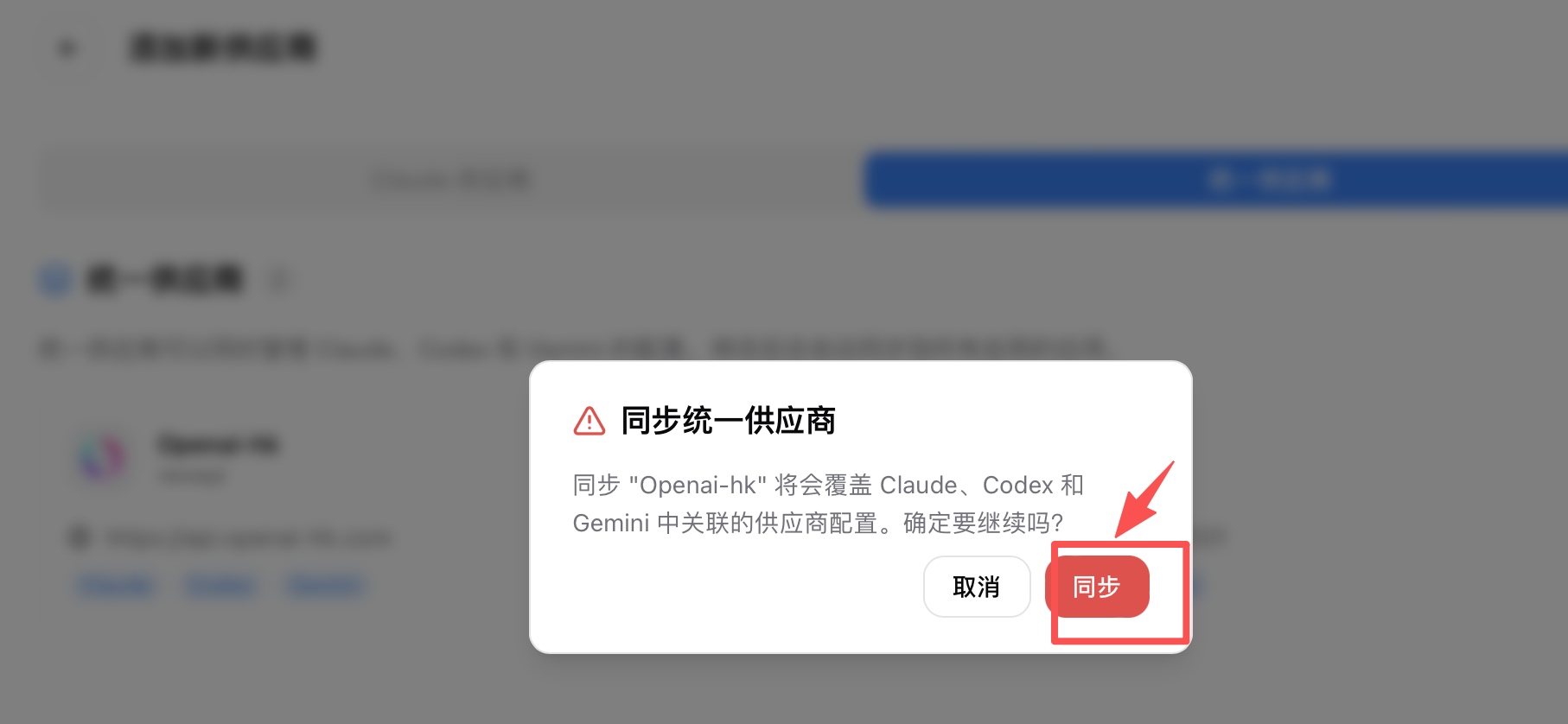
- Go back to Add New Provider and you will see
Enable
- Return to the main screen, find
codex->openai-hkand click Enable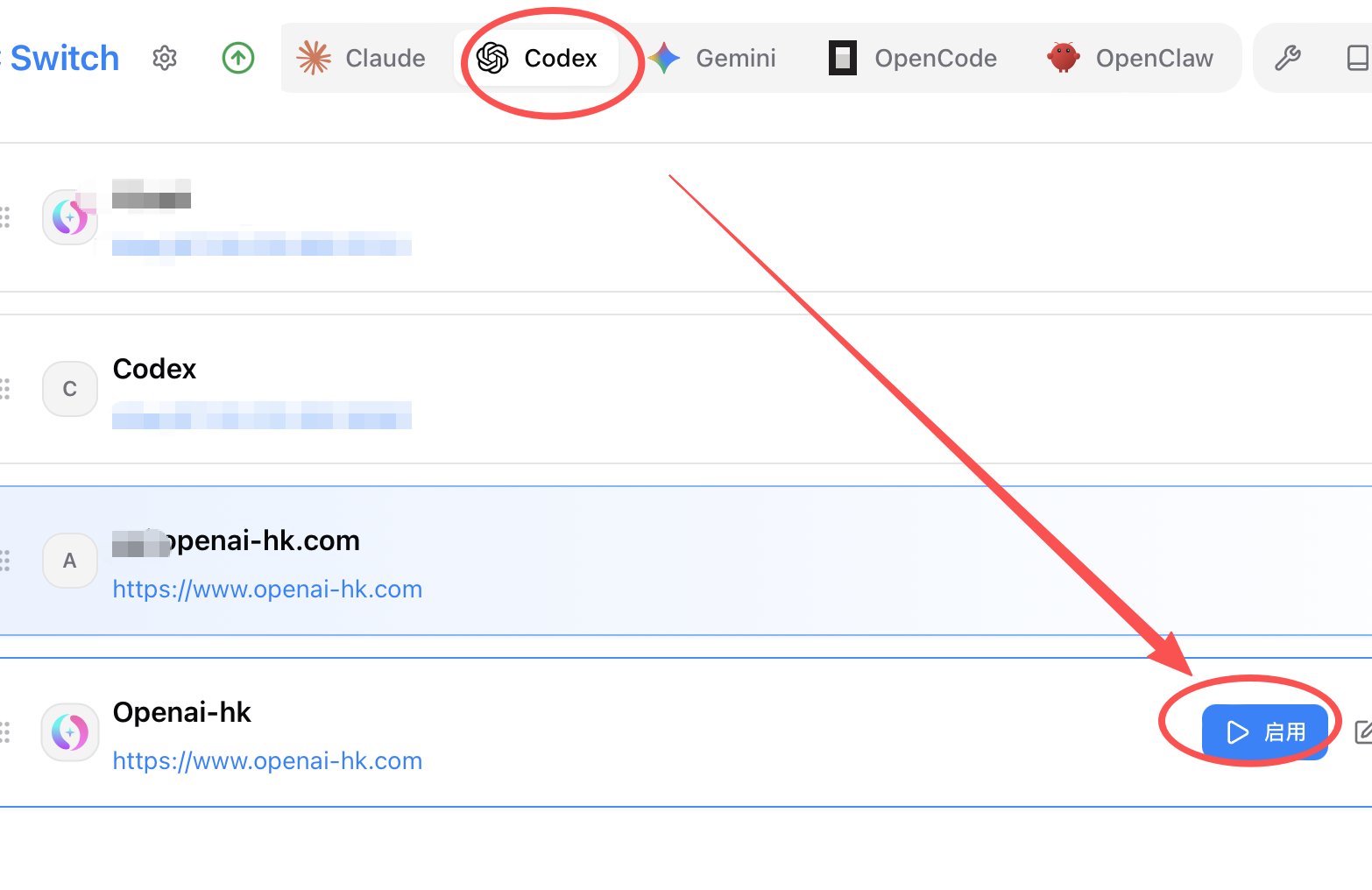
- Return to the main screen, find
Running the App
- Command line
shell
codexcodex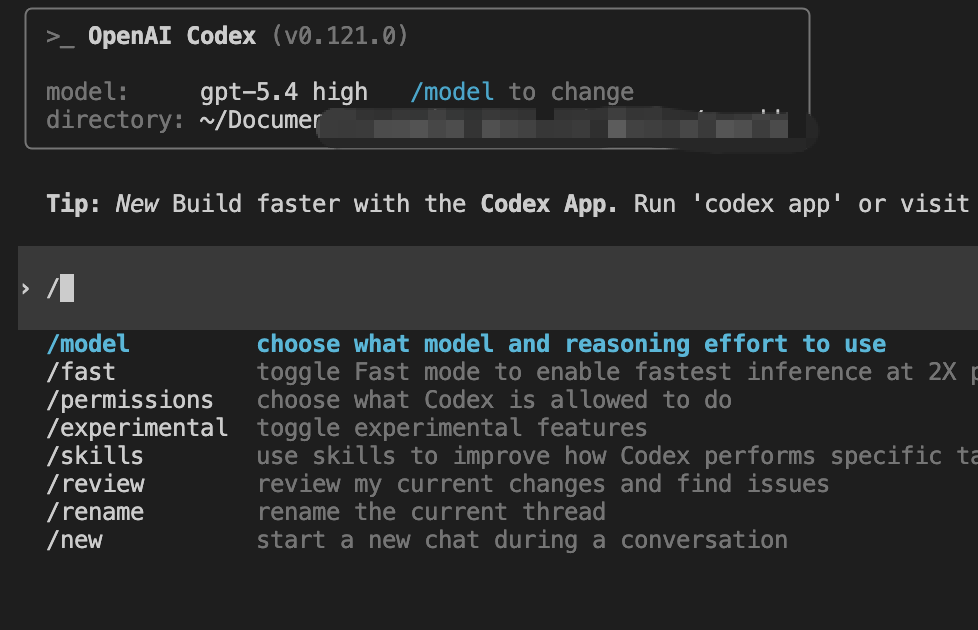
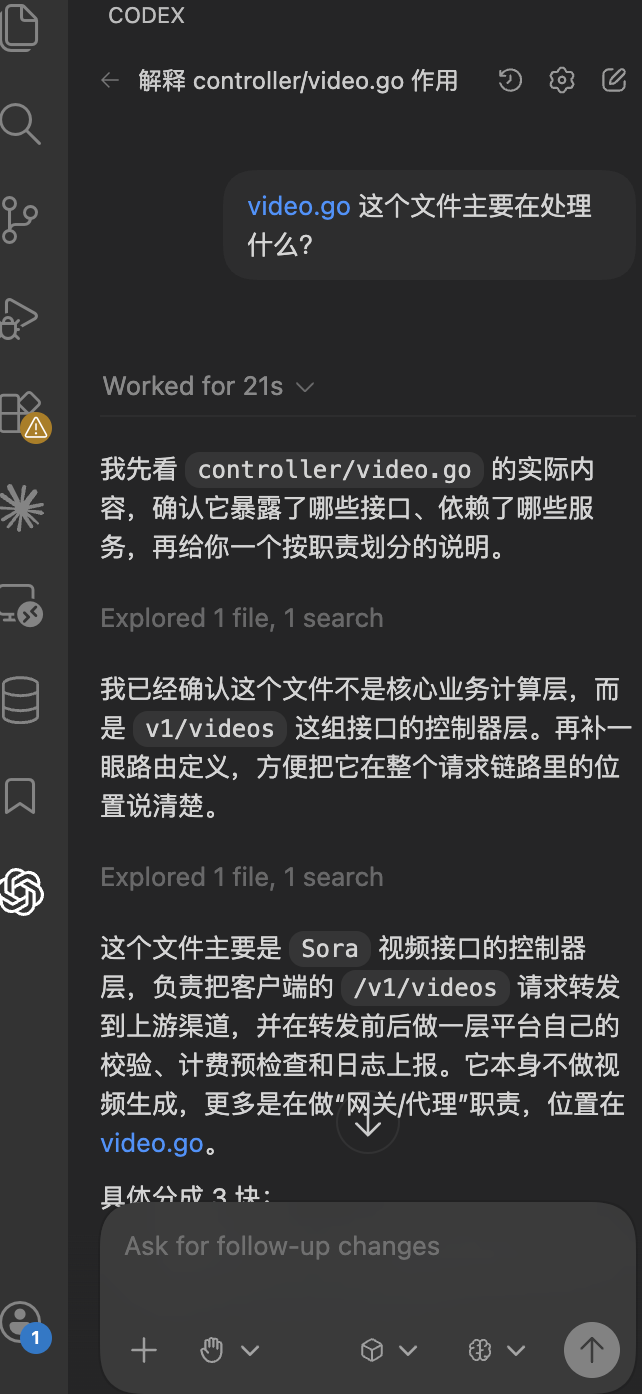
- VS Code extension