 OpenAi-HK
Application Deployment
First obtain our api key hk-xxxxxx
chatgpt-web-midjourney-proxy Frontend Deployment
Project repository: chatgpt-web-midjourney-proxy
Supported Features
- ✅ All original chatgpt web features
- ✅ midjourney text-to-image
- ✅ midjourney image reference + text-to-image
- ✅ midjourney image variations U1–U4, V1–V4, redraw, and more
- ✅ midjourney supports partial redraw
- ✅ midjourney supports 1.5x zoom and 2x zoom
- ✅ midjourney supports 2x HD and 4x HD upscaling
- ✅ midjourney supports left, right, up, down pan extensions
- ✅ midjourney image-to-text
- ✅ Images stored locally using localforage
- ✅ Supports midjourney and niji different bots
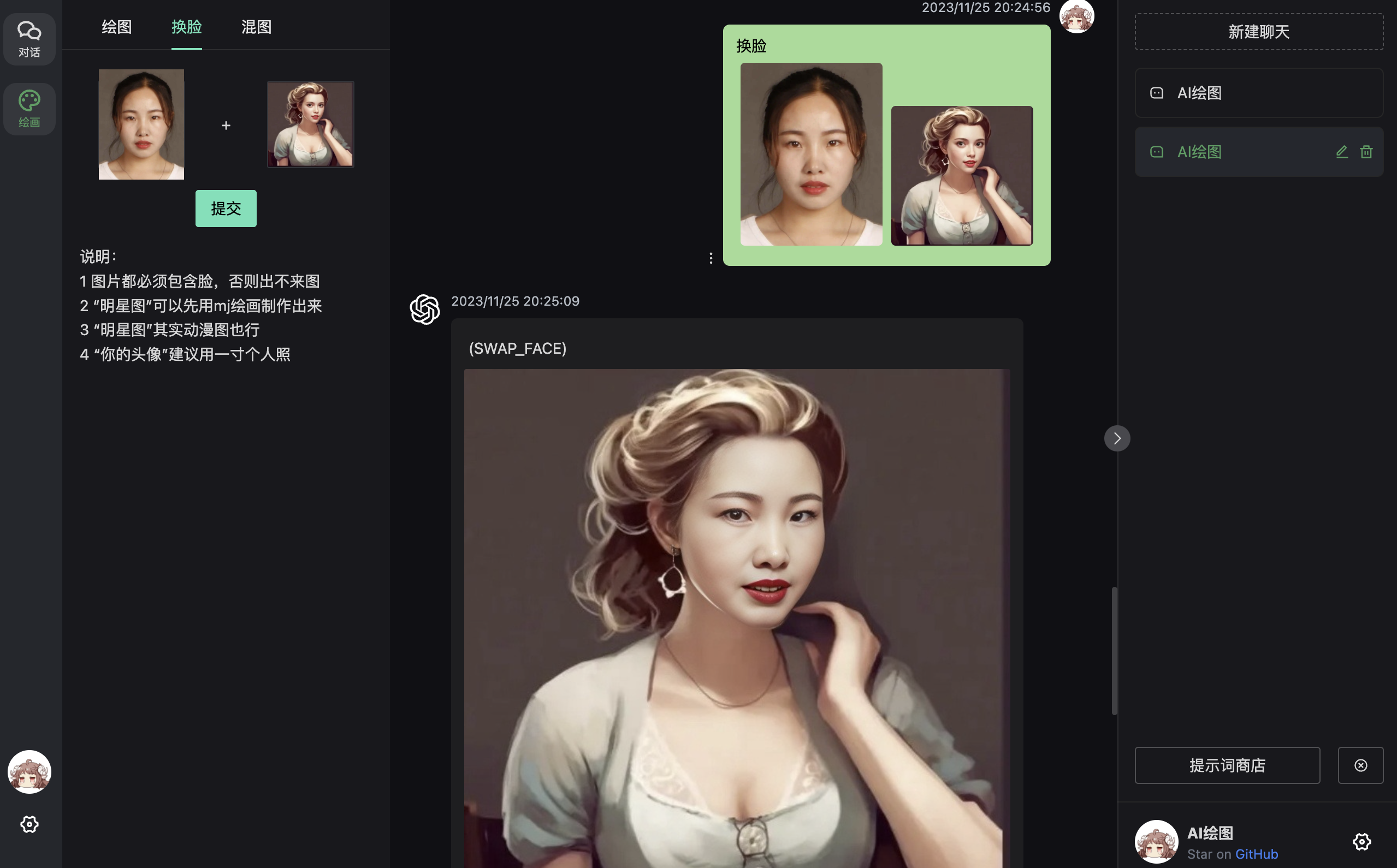
- ✅ Supports InsightFace face swap
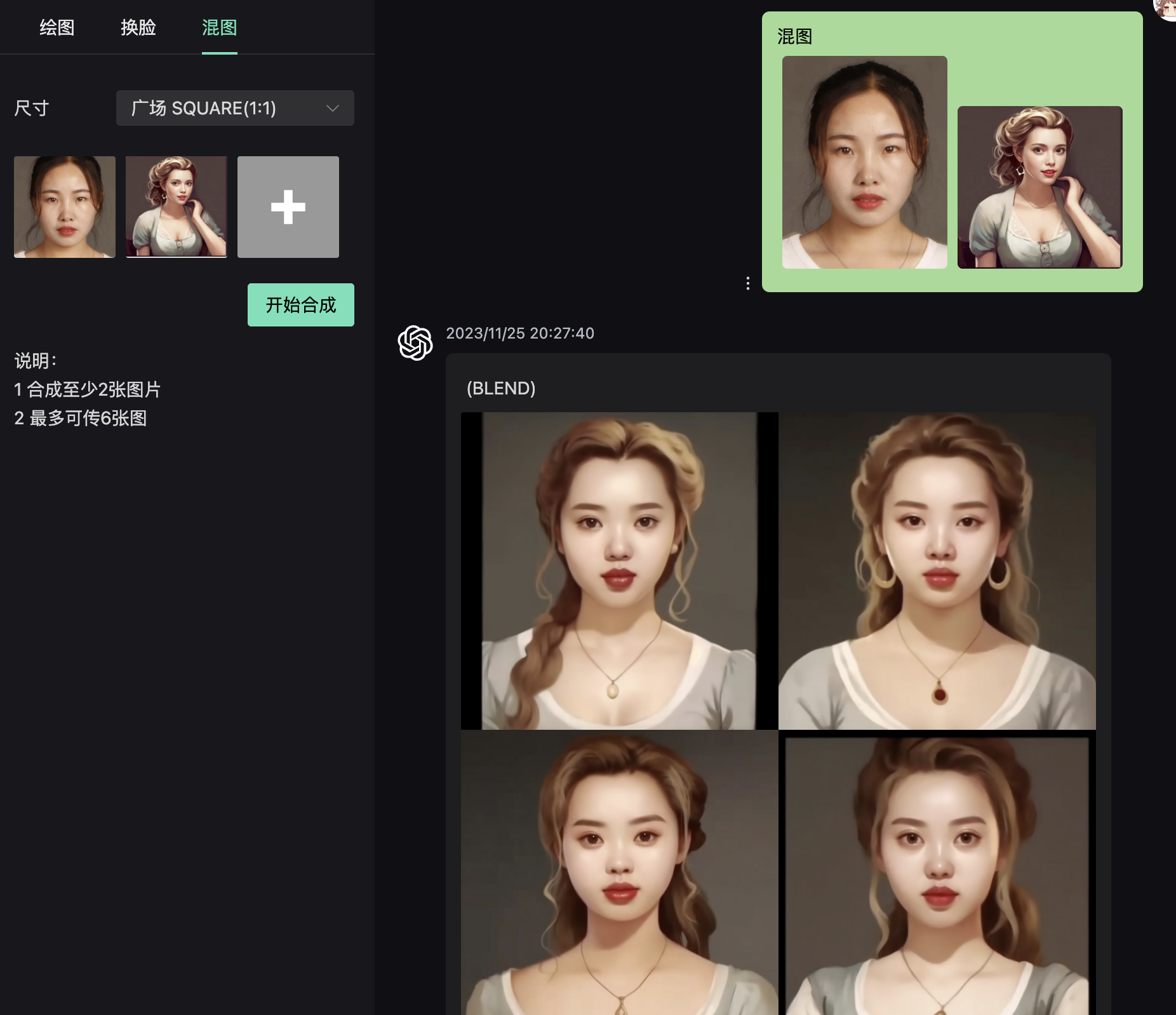
- ✅ midjourney image blending
shell
docker run --name chatgpt-web-midjourney-proxy  -d -p 6015:3002 \
-e OPENAI_API_KEY=hk-your-apiKey \
-e OPENAI_API_BASE_URL=https://api.openai-hk.com  \
-e MJ_SERVER=https://api.openai-hk.com  \
-e MJ_API_SECRET=hk-your-apiKey  ydlhero/chatgpt-web-midjourney-proxy
docker run --name chatgpt-web-midjourney-proxy -d -p 6015:3002 \
-e OPENAI_API_KEY=hk-your-apiKey \
-e OPENAI_API_BASE_URL=https://api.openai-hk.com \
-e MJ_SERVER=https://api.openai-hk.com \
-e MJ_API_SECRET=hk-your-apiKey ydlhero/chatgpt-web-midjourney-proxyDeploy with password
shell
#Pull the latest image
docker pull ydlhero/chatgpt-web-midjourney-proxy
#Remove old container
docker rm -f chatgpt-web-midjourney-proxy
#Install and start
docker run --name chatgpt-web-midjourney-proxy  -d -p 6015:3002 \
-e OPENAI_API_KEY=hk-your-apiKey \
-e OPENAI_API_BASE_URL=https://api.openai-hk.com  \
-e MJ_SERVER=https://api.openai-hk.com  \
-e MJ_API_SECRET=hk-your-apiKey  \
-e AUTH_SECRET_KEY=mi123456 ydlhero/chatgpt-web-midjourney-proxy
#Pull the latest image
docker pull ydlhero/chatgpt-web-midjourney-proxy
#Remove old container
docker rm -f chatgpt-web-midjourney-proxy
#Install and start
docker run --name chatgpt-web-midjourney-proxy -d -p 6015:3002 \
-e OPENAI_API_KEY=hk-your-apiKey \
-e OPENAI_API_BASE_URL=https://api.openai-hk.com \
-e MJ_SERVER=https://api.openai-hk.com \
-e MJ_API_SECRET=hk-your-apiKey \
-e AUTH_SECRET_KEY=mi123456 ydlhero/chatgpt-web-midjourney-proxy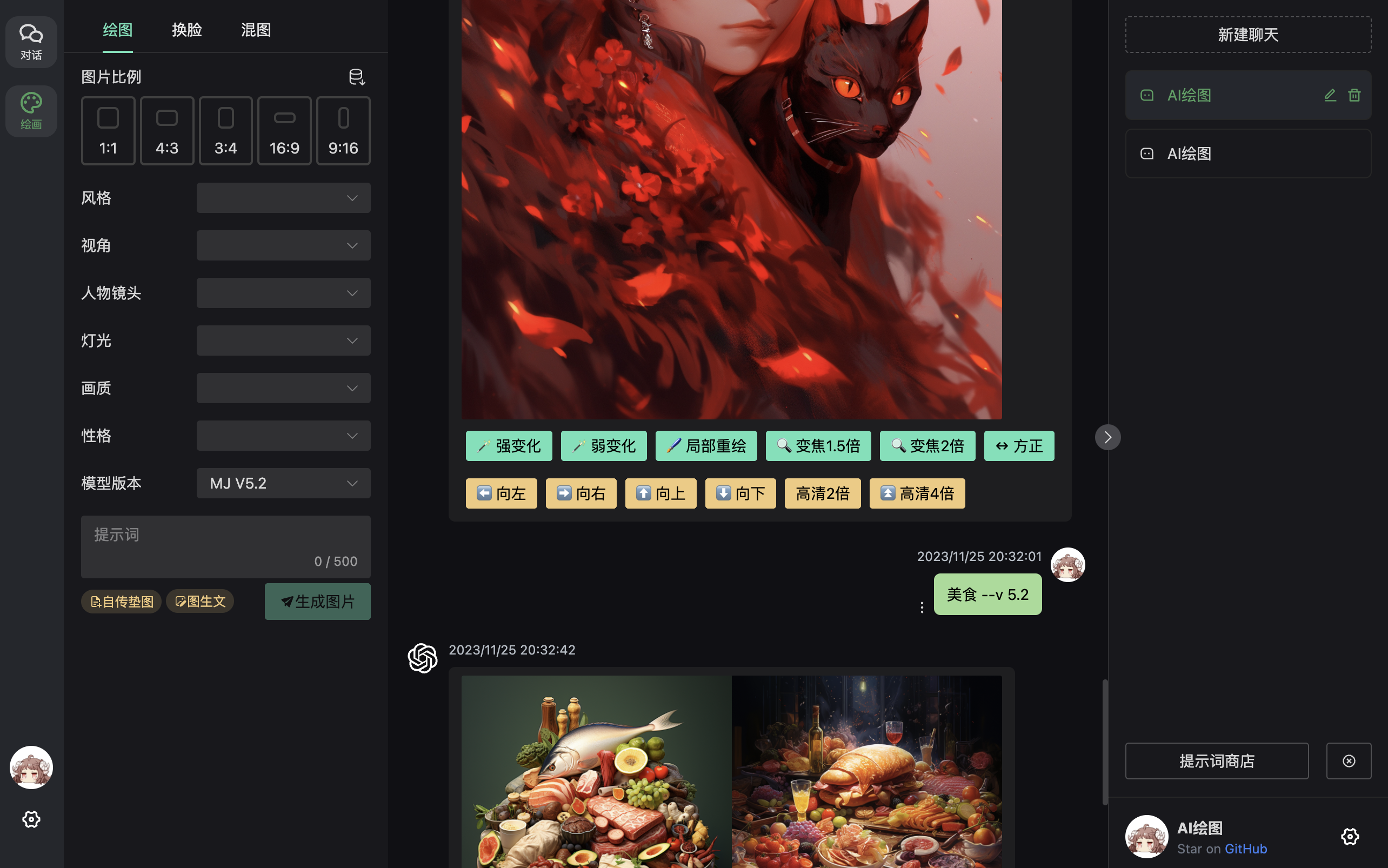
midjourney-web Frontend Deployment on Vercel
Project repository: midjourney-web
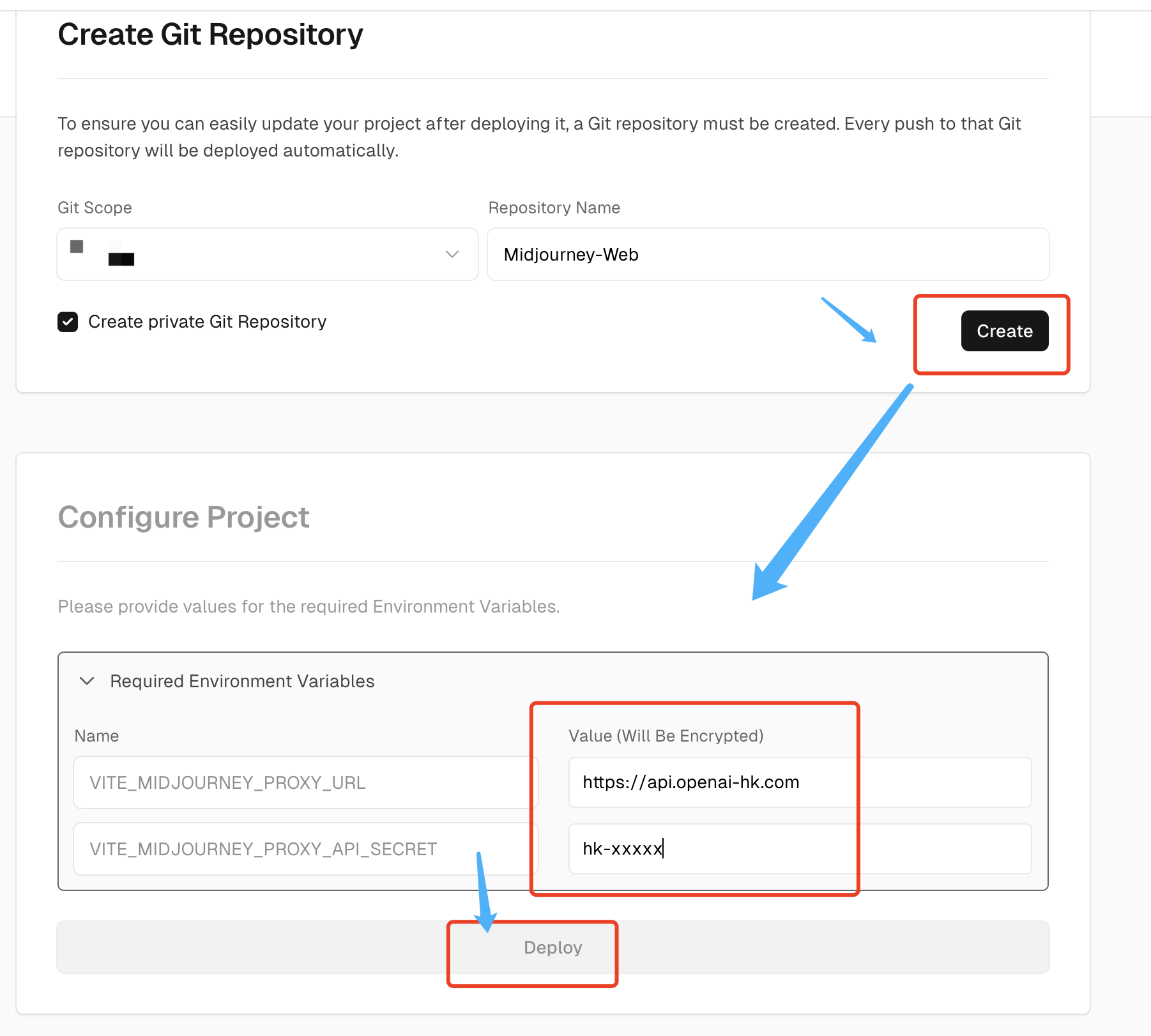
Click the Deploy button below for one-click deployment
Vercel One-Click Deploy
- Click the Deploy button above
- In the popup, set
VITE_MIDJOURNEY_PROXY_URLtohttps://api.openai-hk.com - In the popup, set
VITE_MIDJOURNEY_PROXY_API_SECRETtohk-replace-with-your-key
The result looks like this: 