 OpenAi-HK
🚀 Use ChatGPT Directly
1. ChatGPT Web — Multi-Model Free Switching
Note
- Visit https://ai.ddaiai.com/ (if blocked, replace the subdomain
aiwiths2024)
2. If blocked, you can change the URL yourself — replacesuibianinhttps://suibian.ddaiai.comwith anything else, e.g.https://abc.ddaiai.com— all subdomains work
Setup
Set the following in the corresponding fields shown below:
OpenAI API Base URL: https://api.openai-hk.com
OpenAI API KEY: hk-your-apiKey
Set the following in the corresponding fields shown below:
OpenAI API Base URL: https://api.openai-hk.com
OpenAI API KEY: hk-your-apiKey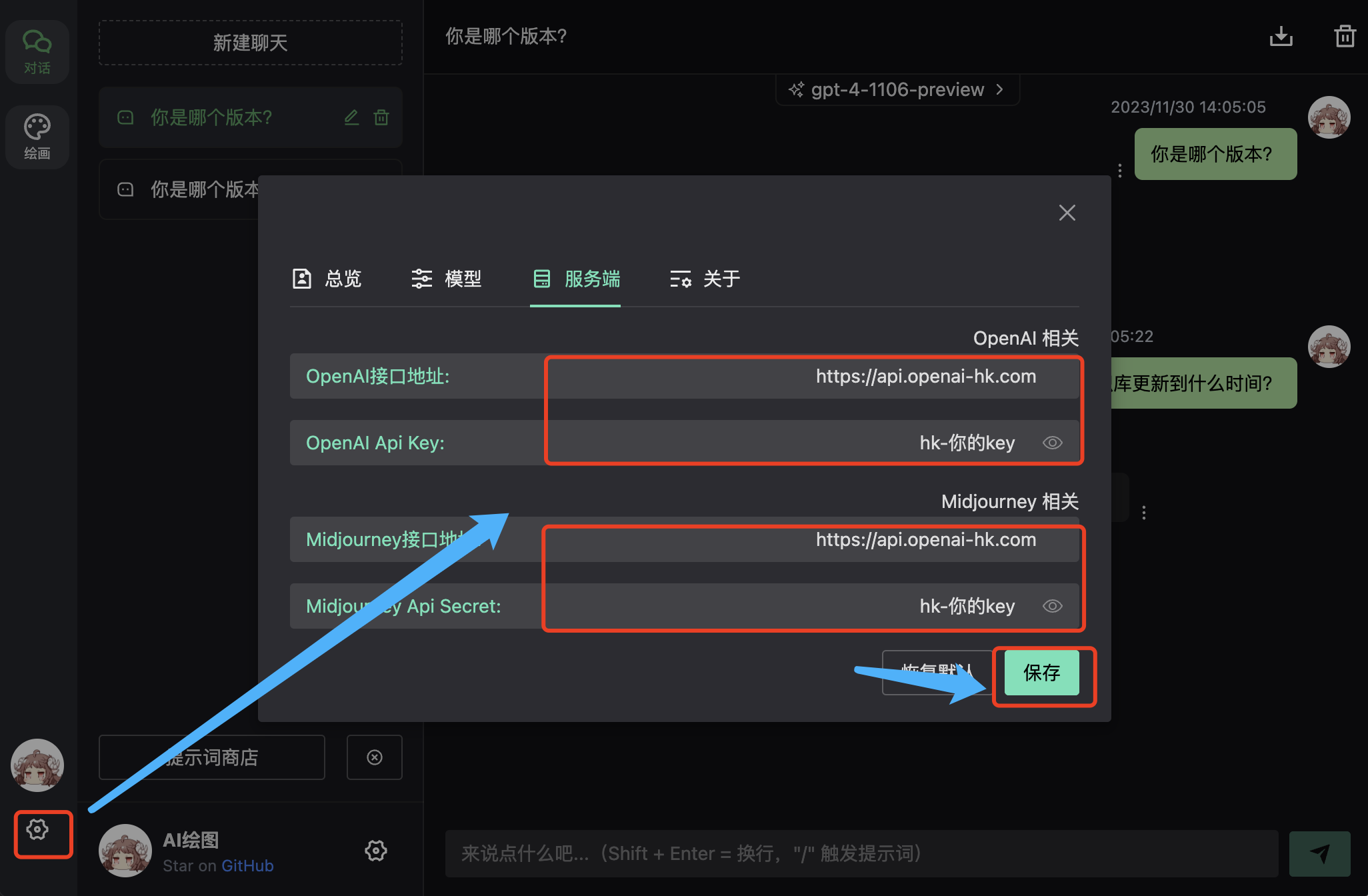
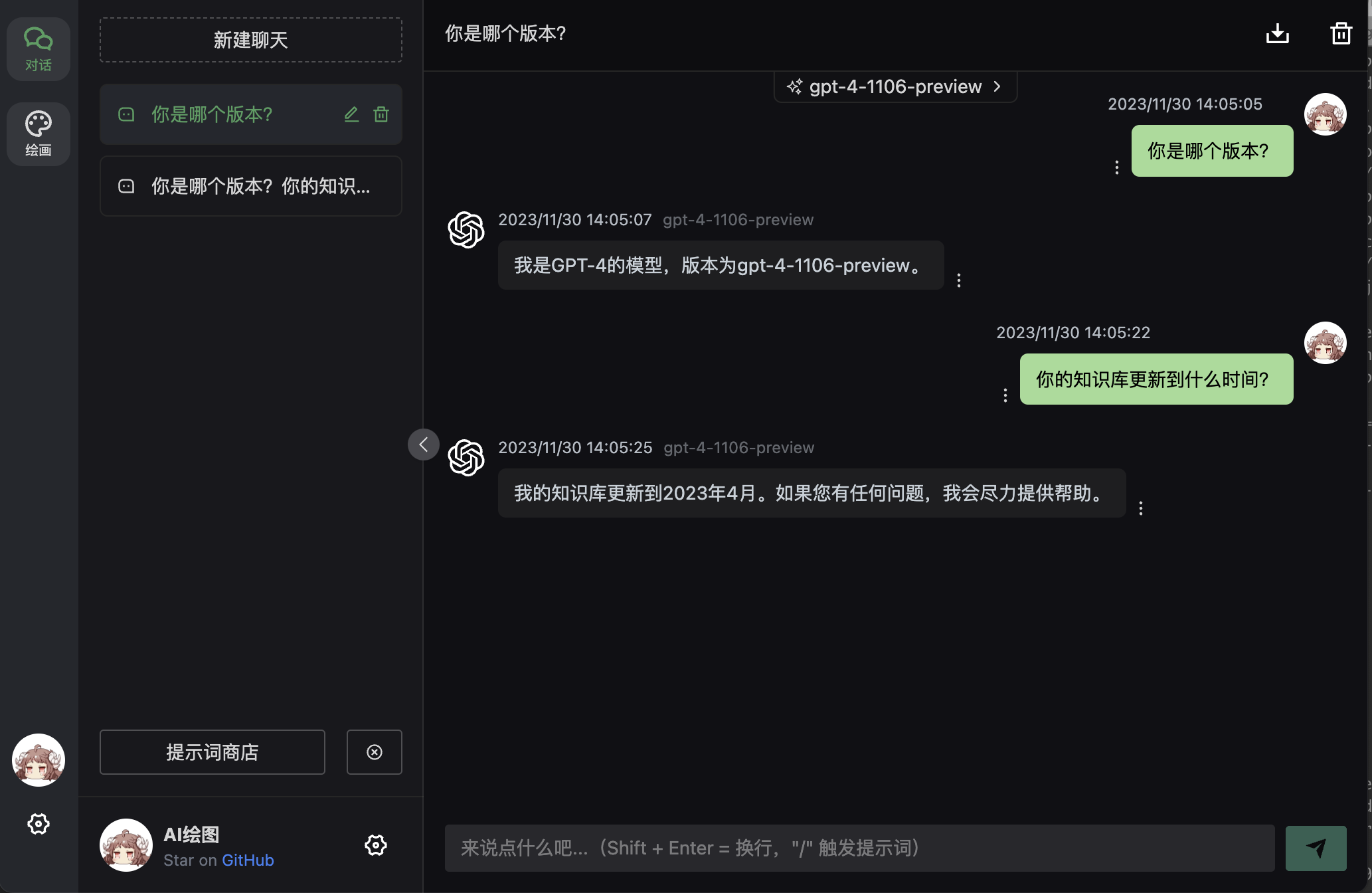
Result
Enter your question in the input box
Model Switching
Supports custom models — multiple models can be separated by commas 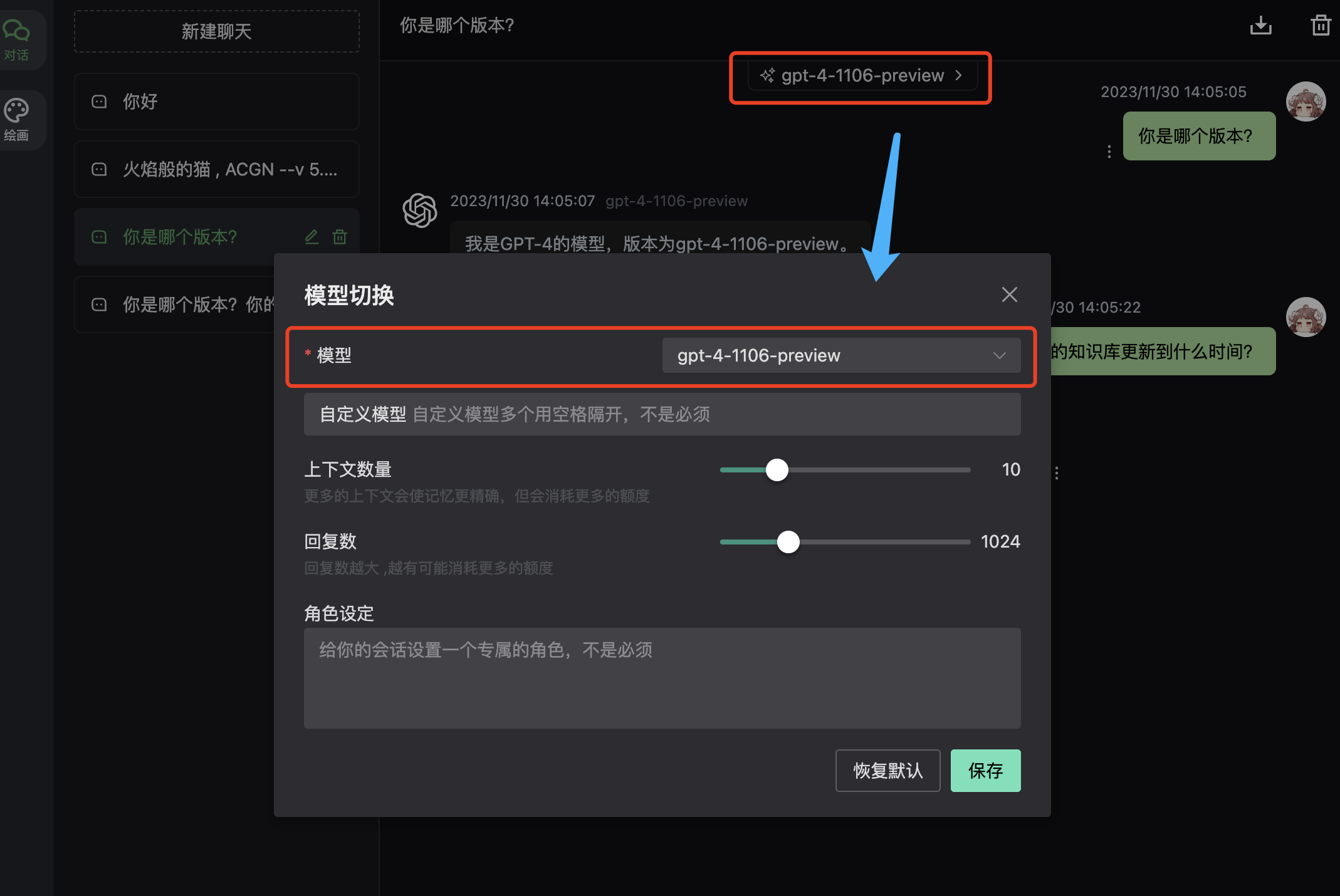
2. Next-Web — Multi-Model Free Switching
Note
- Visit https://web.ccaiai.com/ (requires proxy)
2. If blocked, replacesuibianinhttps://suibian.ccaiai.comwith something else, e.g.https://abc.ccaiai.com
Set the following in the corresponding fields:
API Base URL: https://api.openai-hk.com
API KEY: hk-your-apiKey
Model: select GPT-4
Set the following in the corresponding fields:
API Base URL: https://api.openai-hk.com
API KEY: hk-your-apiKey
Model: select GPT-4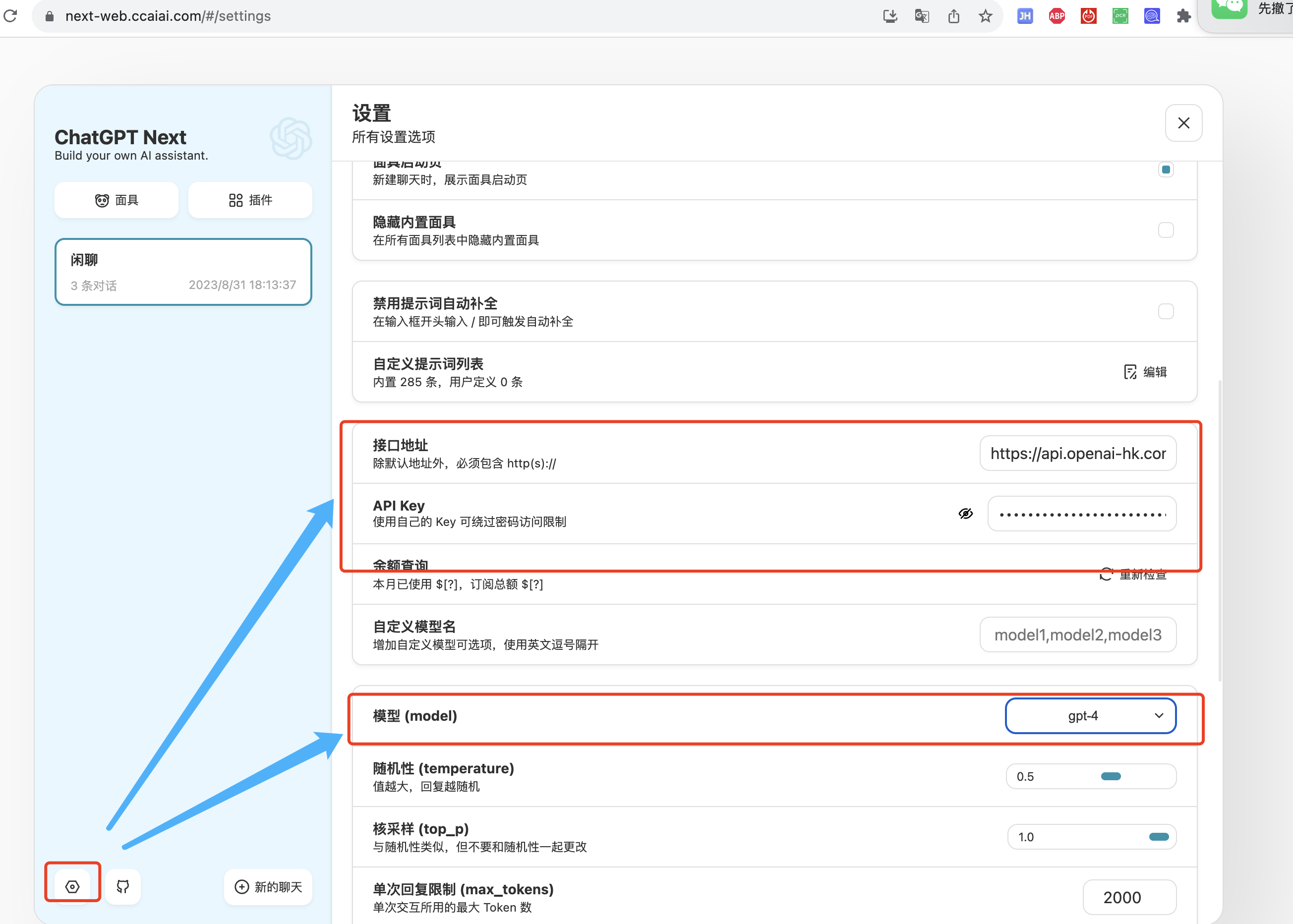
Enter your question in the input box
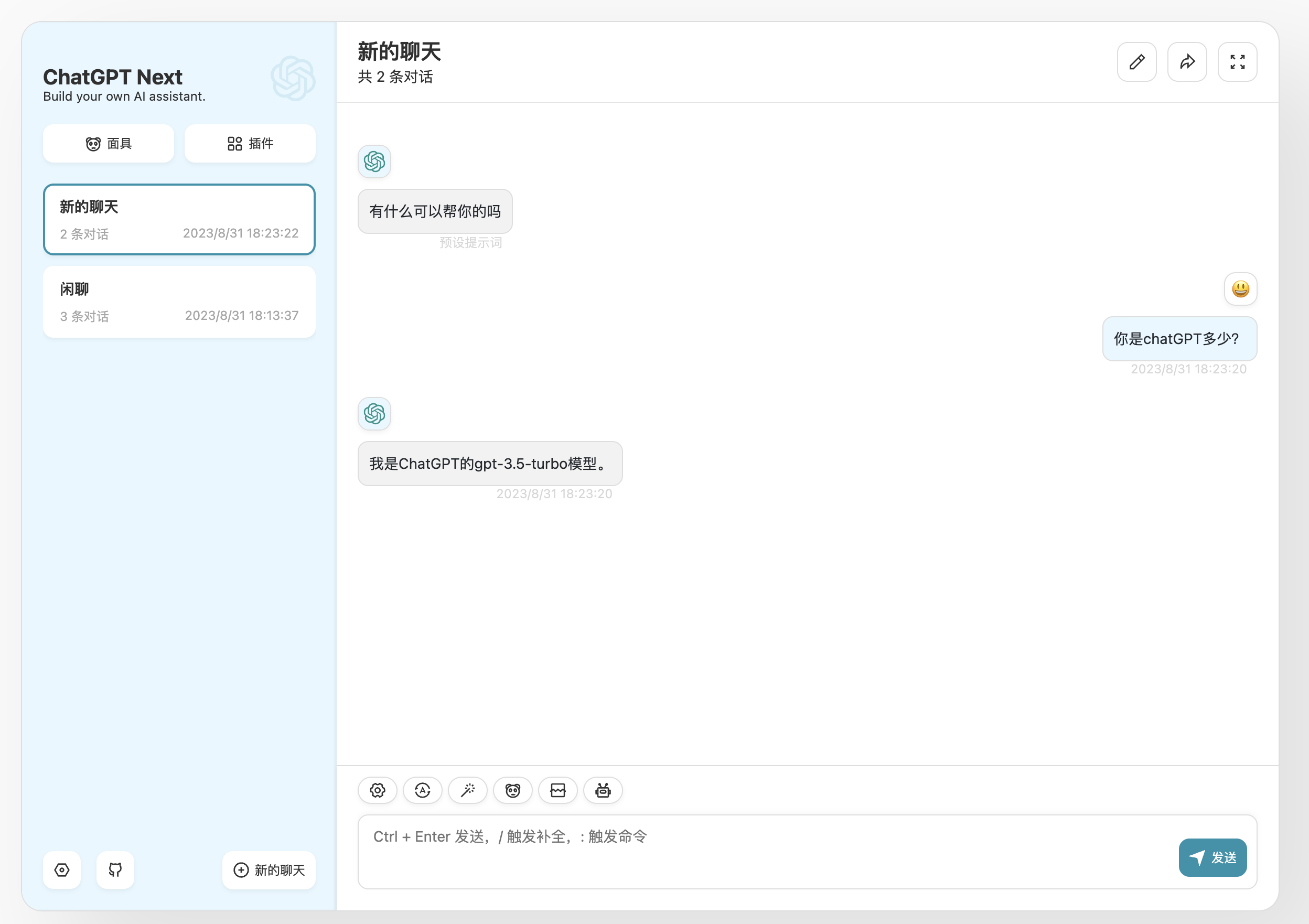
3. Lobehub — Academic Writing, Formulas & Charts — lobe-chat
Note
Visit https://lobe.ccaiai.com (requires proxy)
Set the following in the corresponding fields:
API Base URL: https://api.openai-hk.com/v1
API KEY: hk-your-apiKey
Set the following in the corresponding fields:
API Base URL: https://api.openai-hk.com/v1
API KEY: hk-your-apiKey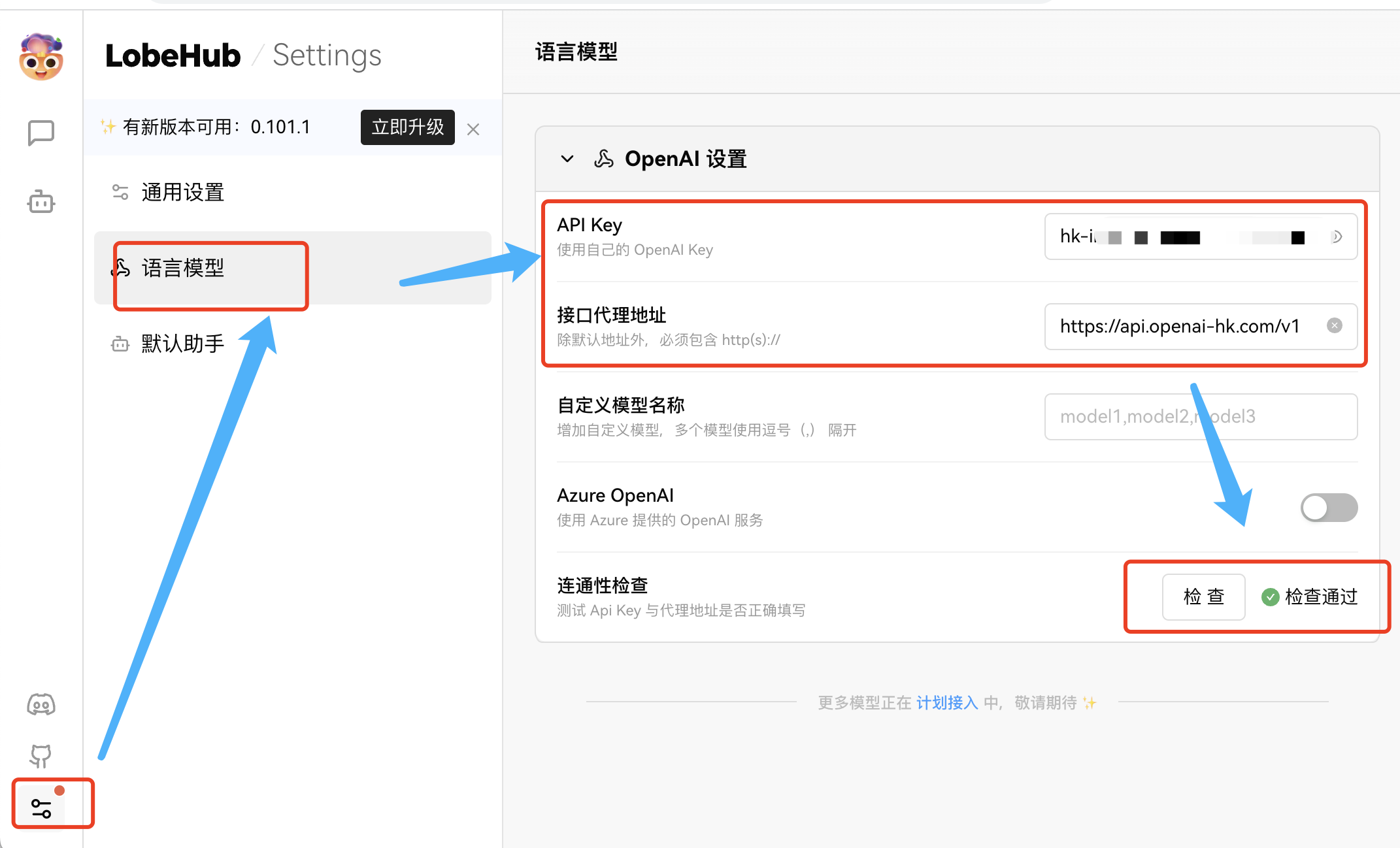
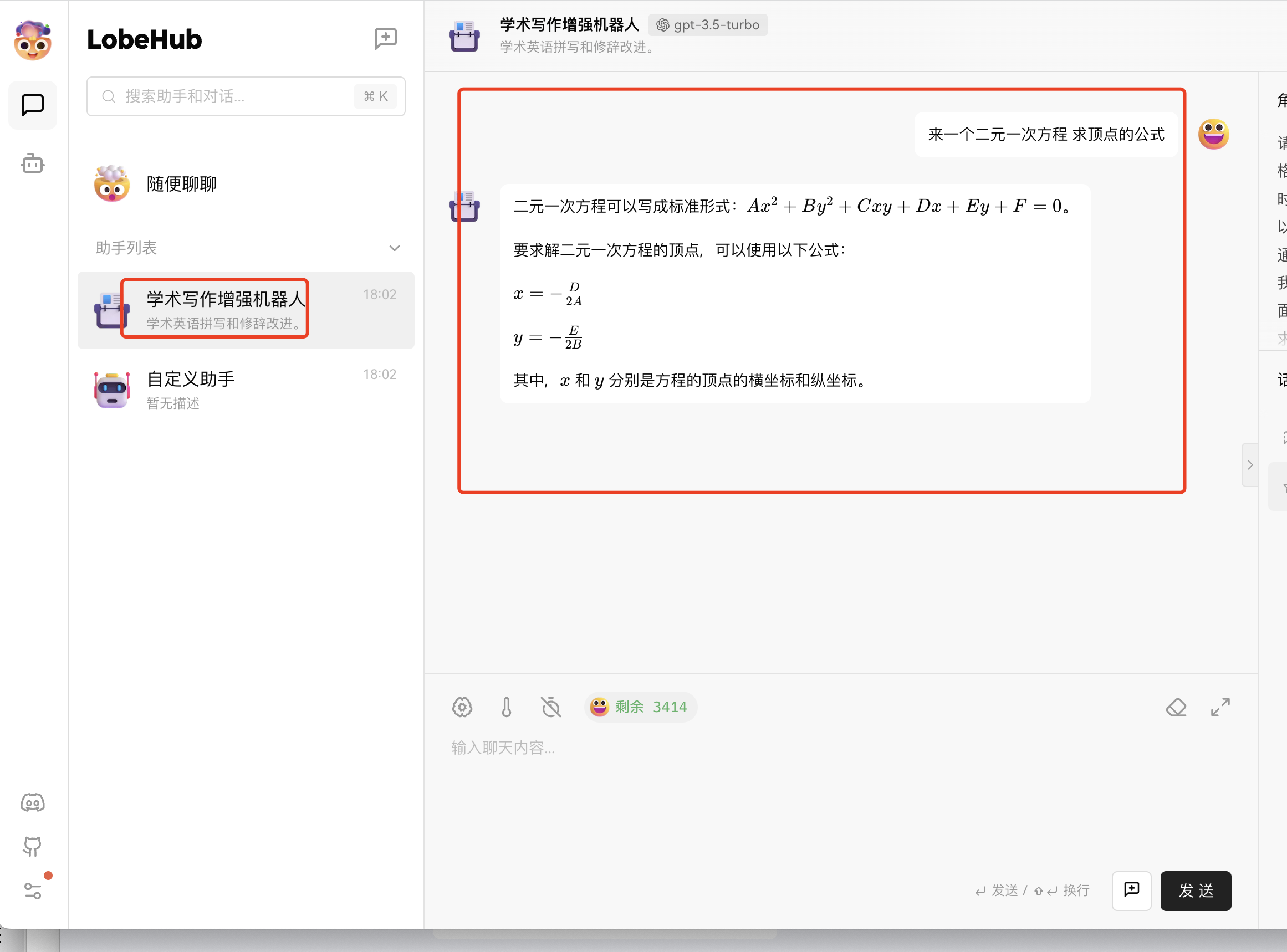
Find an assistant — for example this academic assistant, great for formulas